
13 apps in one browser tab, free
Free alternatives to Photoshop, Word, Excel and AutoCAD, in your browser
Madosuite is a desktop of creative and office apps in a tab. Edit a .psd, write a .docx, fix a .dwg. The apps run on your own device, so there is nothing to install and no subscription.
The paid app you use now, and what to open instead
Prices are the vendors’ own US prices on 14 November 2026. Each link shows what the Madosuite app does today and what it cannot do yet.
Thirteen apps on one desktop
Most are in the dock when you open it. Fig, Design, Effect and Light are in the Store.
 Word
Word processor
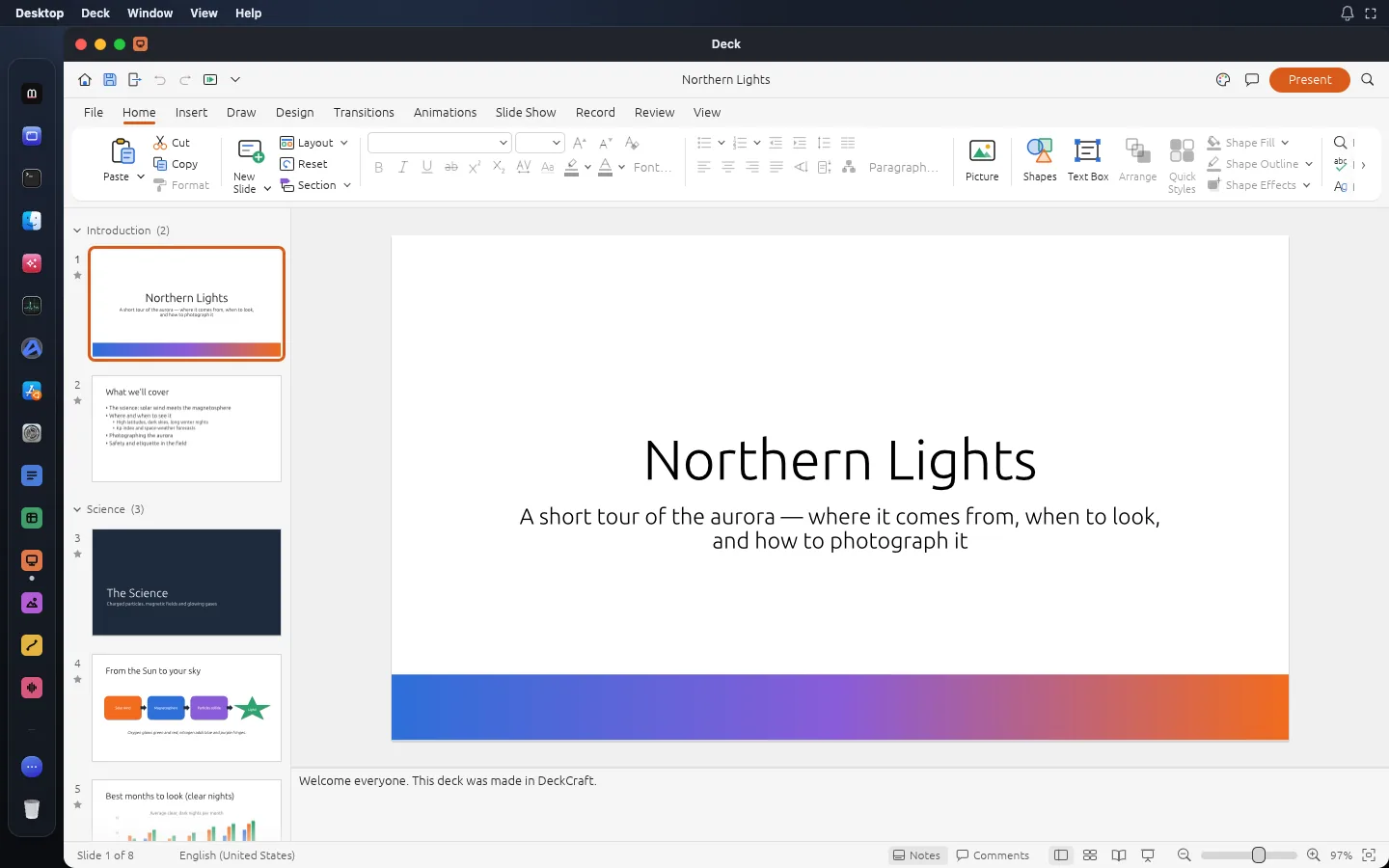
Write and lay out documents with the ribbon, styles, tables, track changes and references you already know, and save real .docx files.
Opens DOCX, DOC, ODT Grid
Spreadsheet
Spreadsheets with 500+ functions, dynamic arrays, pivot tables and charts, saved as .xlsx.
Opens XLSX, CSV, TSV Deck
Presentation app
Build slide decks with themes, charts, transitions and animations, open and save .pptx, and present full screen.
Opens PPTX Photo
Image editor
Edit images with layers, masks, adjustment layers, layer styles and type, and open and save real .psd files.
Opens PSD, PSB, TIFF Vector
 illustration app
Draw with the Pen, Pathfinder and Shape Builder across many artboards, and open .ai, .svg and .pdf files.
Opens AI (PDF-compatible), SVG, SVGZ Sound
Audio editor and DAW
Record, edit and mix audio on a multitrack timeline with a full mixer, automation and MIDI.
Opens WAV, AIFF, FLAC Film
Video editor
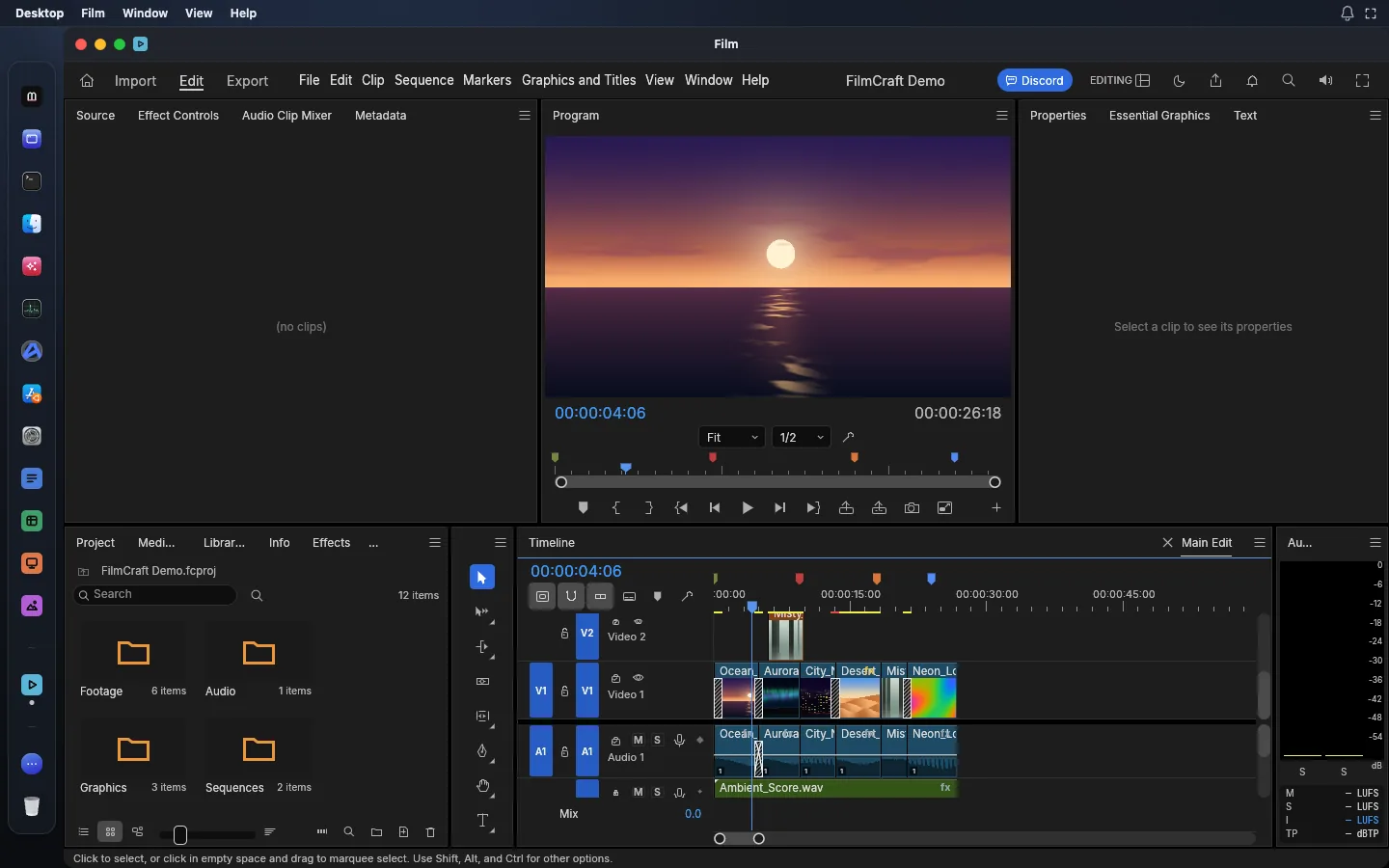
Cut video on a multi-track timeline with trimming, colour grading, effects, titles and loudness meters.
Opens MP4, MOV, MKV CAD
2D CAD and drafting app
Draft in 2D with a command line, object snaps, layers, dimensions, hatches and blocks, and open .dwg and .dxf drawings.
Opens DWG (R13 to 2018), DXF (R12 to 2018)PDFPDF reader and editor
Read, organise, combine, split, fill, comment, redact and secure PDFs.
Opens PDF (including encrypted)FigInterface design tool
Design interfaces with frames, auto layout, components, variants and variables, then prototype them.
Opens .fig (best effort), SVG, PNGDesignPage layout and desktop publishing app
Lay out magazines, books and brochures with parent pages, threaded text, styles and print-ready PDF.
Opens IDML, INDD (import)EffectMotion graphics and VFX app
Animate with compositions, layers, keyframes, expressions and 308 effects, and render video or Lottie.
Opens LottieLightPhoto library and raw editor
Develop raw photos without touching the originals, and keep your library of albums, ratings and people.
Opens DNG, CR2, CR3A desktop, so every app is open at once
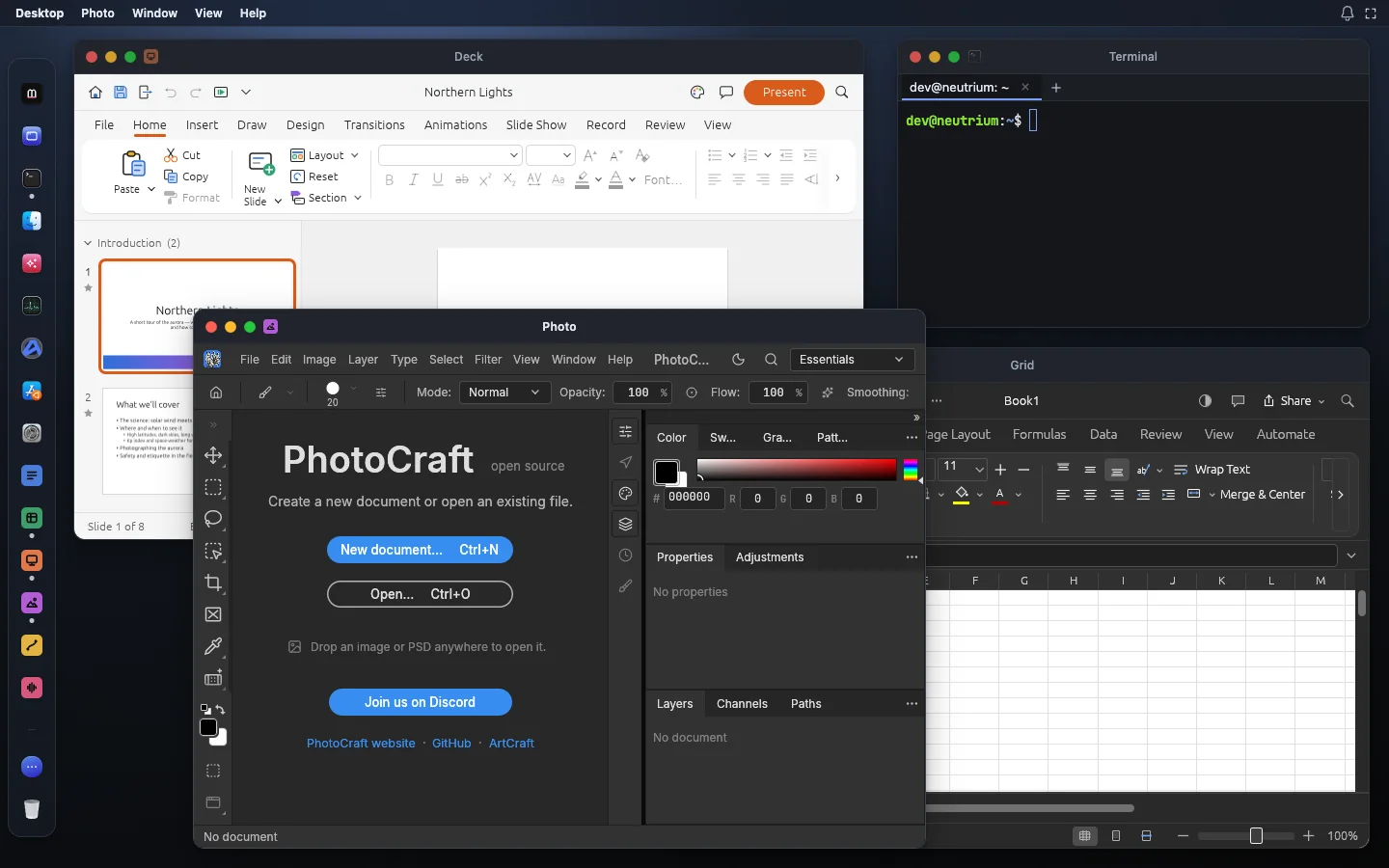
Not one app per tab. Keep Deck, Grid, Photo and a Terminal side by side in windows, all saving to the same home folder.
Jobs people come here for
Each one runs on your own device: the file is never uploaded.
Open a file
How it works
A whole computer runs in the tab, on your own device. That is why it can be free.
Open the tab
Madosuite starts a Linux machine in your browser. Its apps sit in the dock, like a desktop.
Open your file
Upload a .psd, .docx, .xlsx, .pptx or .dwg in Files. It goes into the machine’s home folder, not to our servers.
Save the real format
Save back to the format you opened, or export a PDF, and download it.
What is true today
- Free, with no subscription and no trial clock
- Opens and saves PSD, DOCX, XLSX, PPTX, DWG, DXF, SVG and PDF
- Runs on your device: your files are not uploaded to us
- Open source apps, under MIT or Apache-2.0
What is not, yet
- The apps are young: alpha, some pre-alpha. Each page lists what is missing
- No generative AI features
- Complex files can look different from the paid app; check before you send
- Big projects need a computer with enough memory
Questions
Is Madosuite free?
Yes. The apps run on your own device, in the browser tab, so there is no server time to pay for. There is no trial period.
Do I need to install anything?
No. Open Madosuite in your browser on a computer and the apps are there. Nothing is installed on the computer itself.
Do I need an account?
No. Sign in with a 0cloud account only if you want one; without it, your work stays in this browser on this device.
Where are my files kept?
In the browser on your device, inside Madosuite’s own Linux machine, in its home folder. Your files are not uploaded to us. Clearing the site’s data in your browser deletes them, so download what you want to keep.
Are the apps finished?
No, and we say so on every app’s page. They are young open-source apps, alpha or earlier, and their makers publish how far along each one is. Many everyday jobs work today; check the list of what is missing before you depend on one.
Who makes the apps?
The suite apps are the ArtCraft team’s open-source Crafting Apps, under the MIT or Apache-2.0 licence. Madosuite puts them on one desktop in your browser, with Files, a Terminal and Edix, the code editor. See credits.