
 Alpha, heading for beta, about 55% ready for real work
Deck, a free presentation app in your browser
Build slide decks with themes, charts, transitions and animations, open and save .pptx, and present full screen. A free alternative to PowerPoint.
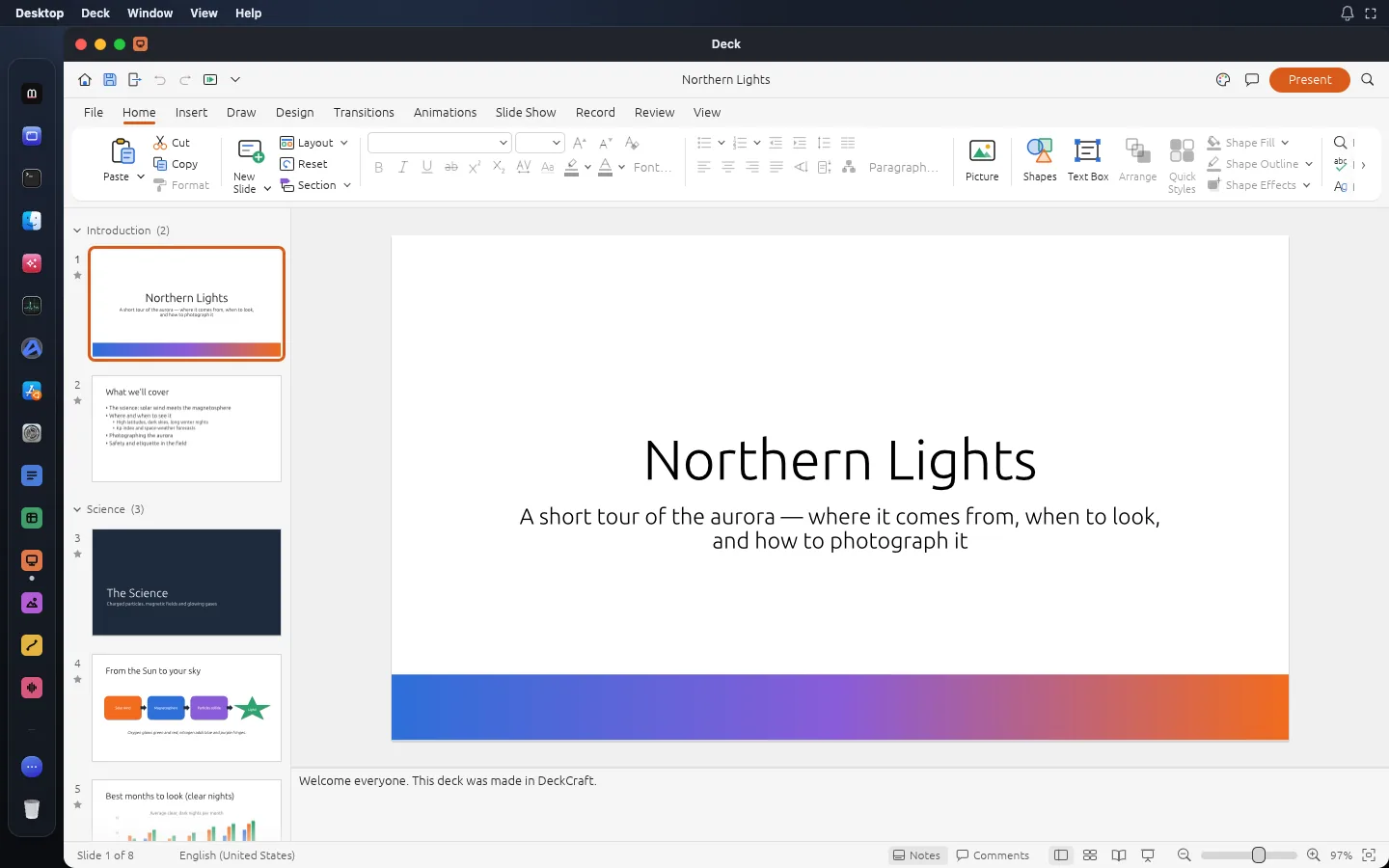
What Deck does
From the app’s own documentation, version 0.13.1.
Tools
- Slide masters, eleven layouts and eight themes
- 150+ shapes, connectors and merge shapes
- Tables, charts and SmartArt basics
- Audio and video on slides
- Transitions including Morph, plus entrance, exit and motion-path animations
- Presenter view, pen and rehearsed timings
- PDF export of slides, notes pages and handouts
- AutoRecover for unsaved work
Files it opens
Files it saves
Not there yet
- SmartArt beyond the basics
What Deck replaces
The paid apps people use for the same job. Prices from the vendors’ US pages on 14 November 2026.
Open a file with Deck
Deck questions
Is Deck free?
Yes. Deck is part of Madosuite, which is free. It runs in your browser on your own device.
Which files does Deck open?
PPTX. It saves PPTX, PDF, PNG, JPEG, Animated GIF.
Is Deck ready for real work?
Alpha, heading for beta: its makers rate it about 55% ready for real work. Not there yet: smartart beyond the basics.
Can Deck replace PowerPoint?
For slides for class, work and pitches, often yes, and free. Deck has SmartArt basics only, and no AI features.
Where are my files kept?
In the browser on your device, inside Madosuite’s own Linux machine, in its home folder. Your files are not uploaded to us. Clearing the site’s data in your browser deletes them, so download what you want to keep.
Who makes the apps?
The suite apps are the ArtCraft team’s open-source Crafting Apps, under the MIT or Apache-2.0 licence. Madosuite puts them on one desktop in your browser, with Files, a Terminal and Edix, the code editor. See credits.
More apps in Madosuite
 Word
Write and lay out documents with the ribbon, styles, tables, track changes and references you already know, and save real .docx files.
 Grid
Spreadsheets with 500+ functions, dynamic arrays, pivot tables and charts, saved as .xlsx.
 Photo
Edit images with layers, masks, adjustment layers, layer styles and type, and open and save real .psd files.
 Vector
Draw with the Pen, Pathfinder and Shape Builder across many artboards, and open .ai, .svg and .pdf files.
Deck is DeckCraft 0.13.1 by the ArtCraft team, open source under MIT or Apache-2.0. Credits.